AI Infra Interviews logo

AI Infra Interviews

Prepare for
AI infrastructure
interviews.

Work through the numbers behind GPU systems, from a single model to a training cluster. Learn to explain your decisions and handle the follow-up.

130 answers to read now · 260 with a free account · no card

A question to start with

How much memory does your model need?

Change the model or context. Watch the memory budget change.

Live · will it fit?
full calculator →
Hardware
KV per token
328 KB
Per sequence
10.7 GB
8 × H100 80GB SXM · 640 GB
40 sequences fit the memory budget at 32k, after 141 GB of weights and 10% reserved

KV/token = 2 × 80 layers × 8 KV heads × 128 × 2 B

Memory estimate only. Actual serving capacity depends on parallel layout, runtime overhead and latency targets.

GPU LAB / HANDS-ON GPU COMMAND EMULATOR

A terminal. A GPU cluster.
Your next investigation.

Run inference and training workloads. Watch memory fill, follow live GPU graphs, then investigate a broken link or a service that refuses to start. Practice NVIDIA commands in your browser, with guided missions from your first terminal session to cluster recovery.

3 free missions · 21 Premium missions · no hardware to rent

GPU-01 / B200INTERACTIVE PREVIEW

Change the workload. Read the machine.

Your first GPU is one click away.

Run a workload on GPU 0. Follow its activity and memory, pause the clock, then switch workloads to compare.

01 ActivityIs the GPU busy?02 MemoryWhat stays allocated?03 ProcessesWho owns the work?04 RecoveryWhat changes after a fault?
learner@gpu-01:~ $ nvidia-smi -i 0

No account or GPU required. Starts only when you press Run.

24 guided missions6 learning chapters8 × 8 nodes × GPUs in the sandbox4 GPU architecture profiles
Learn it. Diagnose it. Try again.

A free eight-node sandbox, guided explanations, challenges with help hidden, a command reference and a personal review queue.

Browser-based GPU command emulation. CUDA execution and hardware performance testing require real GPUs.

New to AI infrastructure?

Start with one request.
Build from there.

Learn what the machine does, what the model stores, and why an answer can be slow. Then try a memory budget and choose your first lesson.

Start learning the basics →

Five steps · free to read · no account or GPU needed

  1. CPU, GPU and memory
  2. Models, weights and precision
  3. A prompt becomes output tokens
  4. Your first memory budget
  5. Inference, training or GPU programming

Build it step by step

Hands-on guides

Train a tiny model, compare fine-tuned adapters, or configure and tune a private model service. Follow the commands and inspect what each step produces.

Explore all 9 guides →

See how we teach

Follow the arrows.
Understand the system.

What happens between your prompt and the next token? Follow the loop in this diagram from our inference platform walkthrough.

Start with the picture. The full answer connects it to the request path, works through a capacity example, and explains what to check when a request stalls.
Read the full walkthrough →

Free to read · no account needed

Inside the generation loop Consume model inputPrompt, then latest token Embedding → layersAttention reads past KV.Layers add state forthe consumed positions. Scores → next tokenApply decoding policy.Continue: feed it back. Stop Finish this requestKeep or release idle KV. Consume A, B → emit C.KV covers A and B, not C yet. Consume C → emit D.Now KV includes C.
From the question bankWalk me through an inference platform for a hosted LLM. What are the pieces, and what does each one do?

Open the answer. Check the reasoning.

Start with a question you should know.

Find your starting point →

Keep the questions you want to come back to.

A free account gives you 260 answers, bookmarks and saved progress.

Join free →

Prepare for the work you want to do

Which interview are you preparing for?

New to AI infra? Start here →

Build the foundations

Prefer a course
to a question bank?

Follow the lessons in order, then put the ideas to work.

Explore all 6 courses →

Go deeper when you’re ready

Make room for
the hard questions.

Work through the full bank, study the underlying concepts, and follow a course from the foundations into system design.

One payment. 6 months of access. No auto-renewal.

Full access

$25 USD / ₹2,000 INR
  • All 433 worked answers, including hard and expert questions
  • The full 162-concept library and all 6 courses
  • Premium practice modes, bookmarks and progress tracking
Get full access →

Start with a free account and decide after you’ve studied.

Focus your preparation

Learn what your target company emphasizes.

All 47 company guides →

Explore reported interview formats and relevant topics. Each guide distinguishes documented details from limited public evidence. Loops vary by team; confirm yours with the recruiter.

Independent preparation. No affiliation with or endorsement by the companies named.

AI INFRA CAREERS · FREE

Find the team you want to build with.

Explore GPU, training, inference and platform openings at companies we track. Filter by specialty and location, then prepare for that company.

Browse AI infra jobs

Guides & handbooks

Go deeper, one guide at a time.

Browse all 9 guides →

New to AI infrastructure? Start with the field guide, then follow a model from one GPU to a serving fleet. Keep the hardware and model guides nearby when you need to compare your options.

Start here / Included with Premium

Understand the machine behind the model.

Start with what lives in GPU memory and how a model produces an answer. The AI Infrastructure Field Guide builds from these basics to multiple accelerators, distributed training and production systems.

71 pages · 19 visual explanations · 269 glossary terms. Follow a beginner, intermediate or advanced reading route.

Samples are free to read. The complete PDF requires paid Premium or approved complimentary access. Referral Premium excludes paid guide downloads.

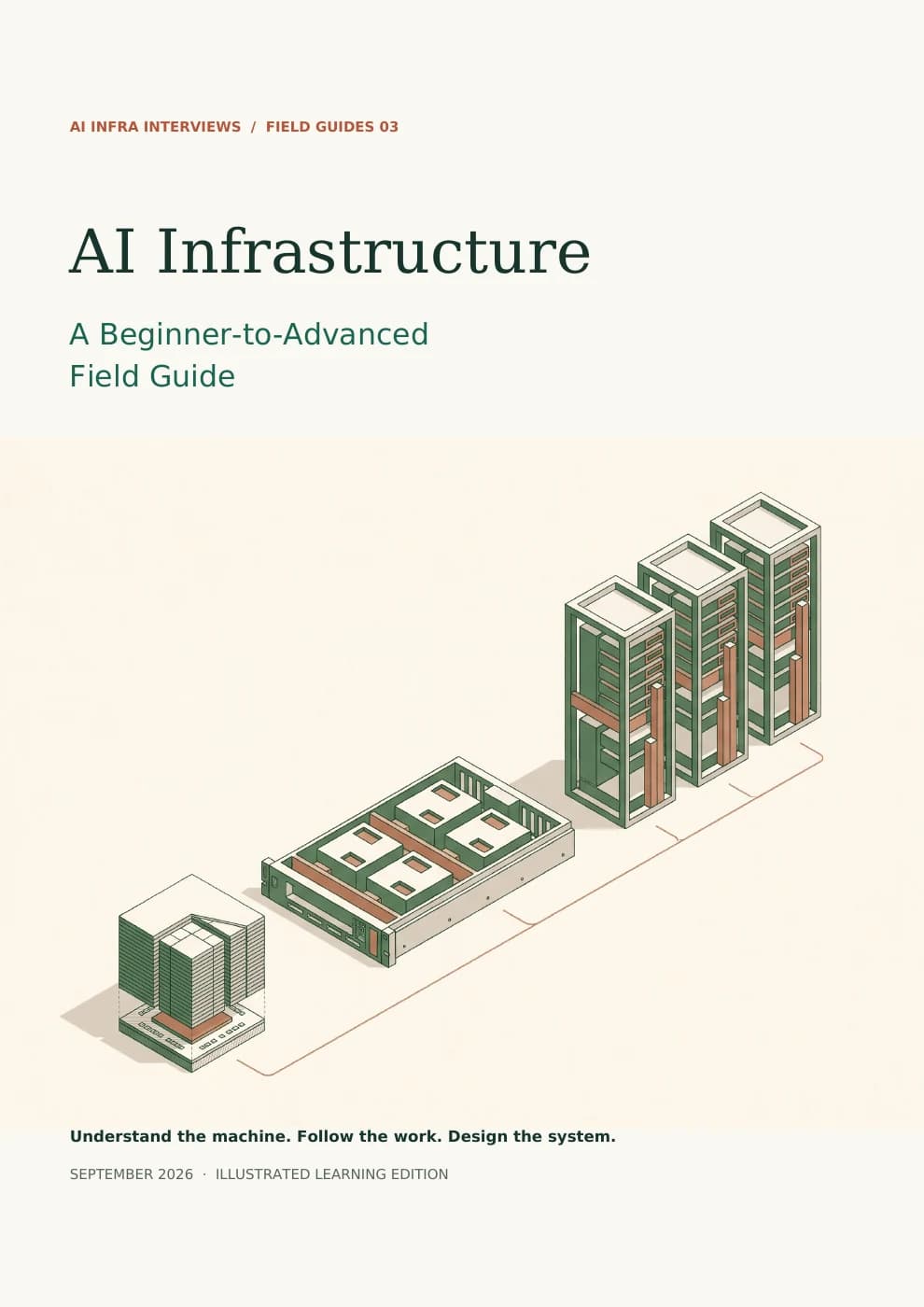
AI Infrastructure: A Beginner-to-Advanced Field Guide cover, showing a conceptual progression from accelerator to server to racks
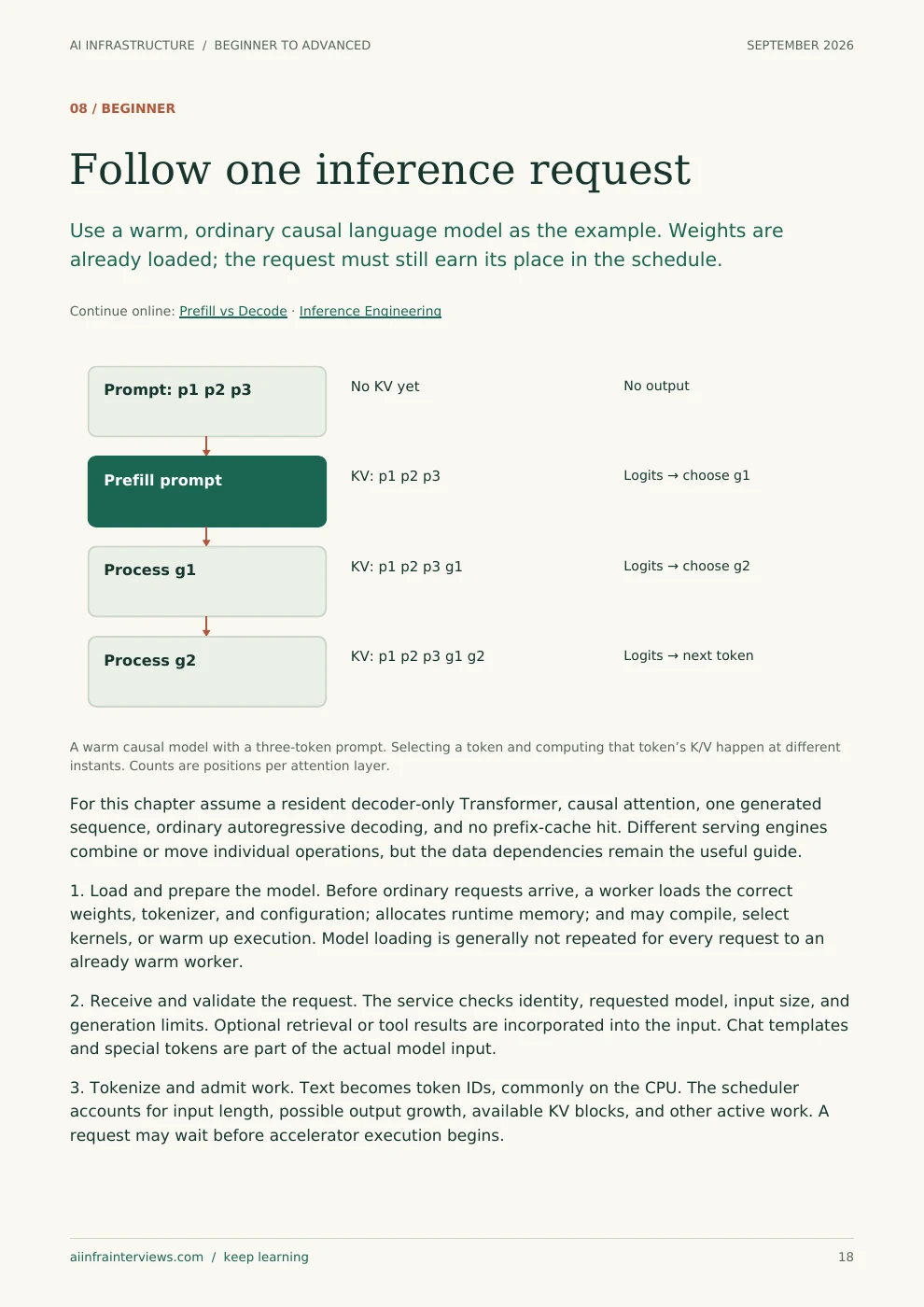
Printed sample page 18: Follow one inference request
Page 18Follow one inference requestOpen the full-size page ↗
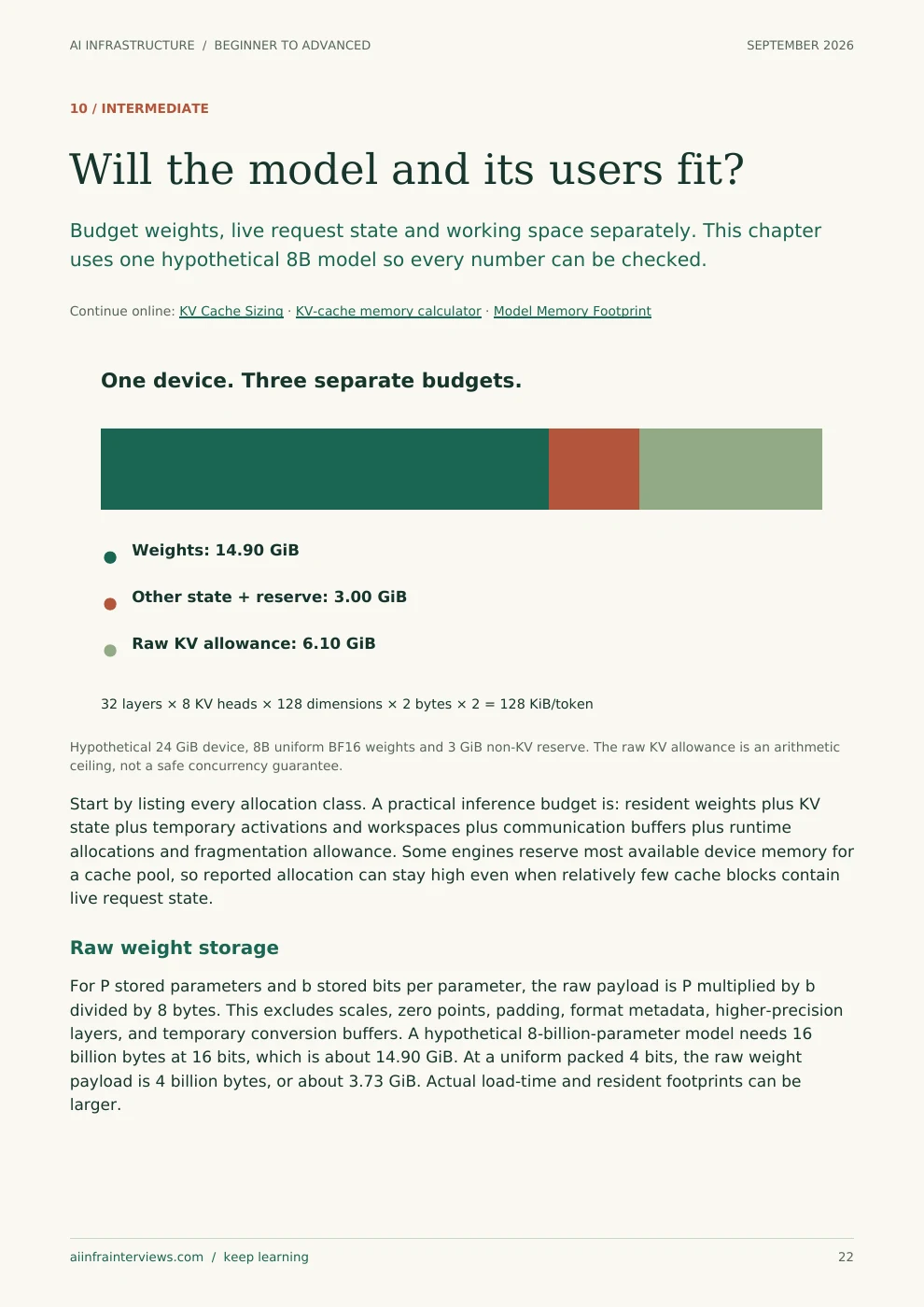
Printed sample page 22: Will the model and its users fit?
Page 22Will the model and its users fit?Open the full-size page ↗
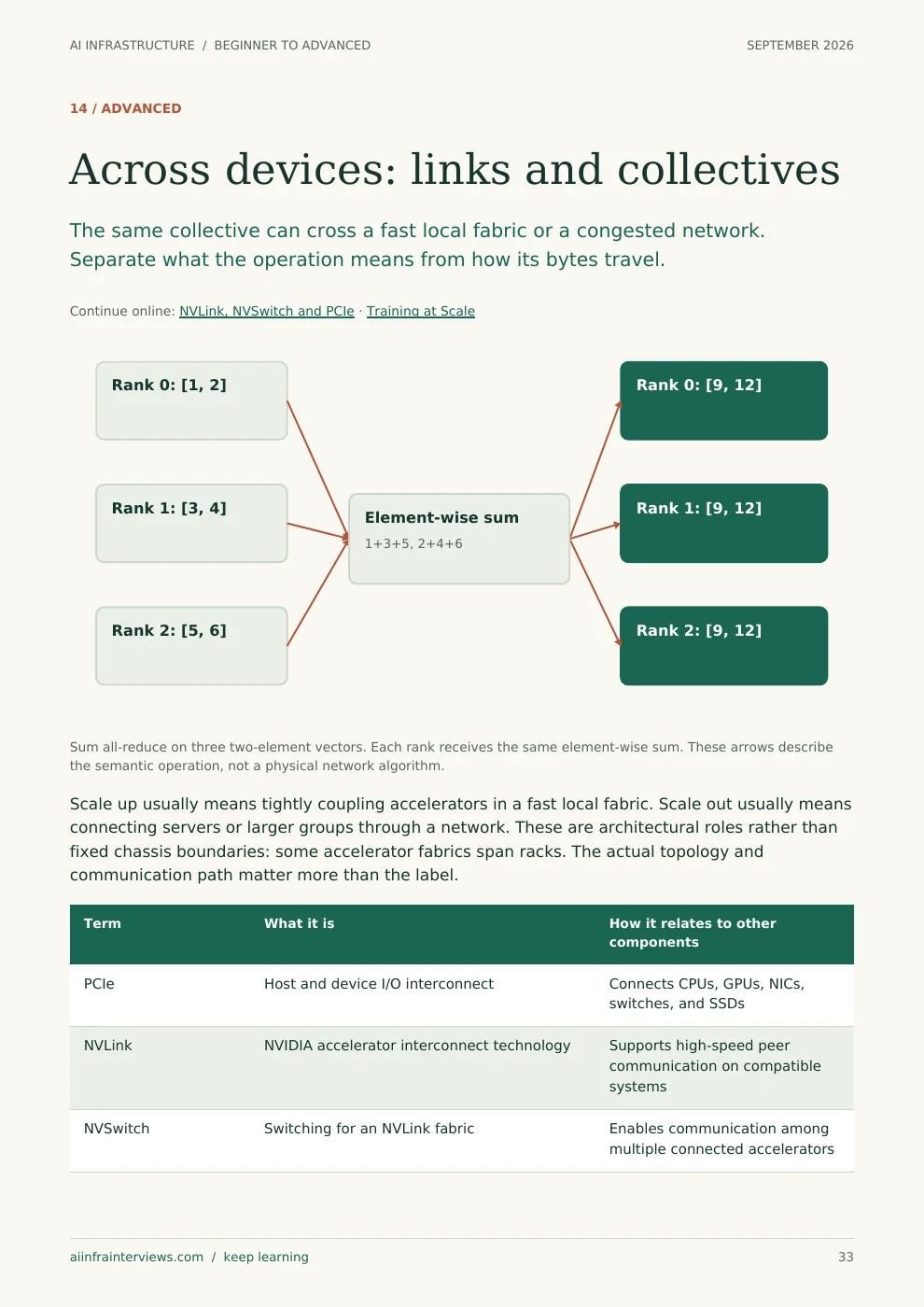
Printed sample page 33: Across devices: links and collectives
Page 33Across devices: links and collectivesOpen the full-size page ↗

Serving systems / Included with Premium

Design LLM serving from one GPU to a fleet.

Follow a request through a serving system in The LLM Inference Systems Design Handbook. Work out how many users fit in GPU memory, see how batching changes latency, and learn when to add more GPUs. One running example connects the calculations.

60 pages · 17 chapters · 17 diagrams · 8 mock design rounds · 42 self-check questions.

Samples are free to read. The complete PDF requires paid Premium or approved complimentary access. Referral Premium excludes paid guide downloads.

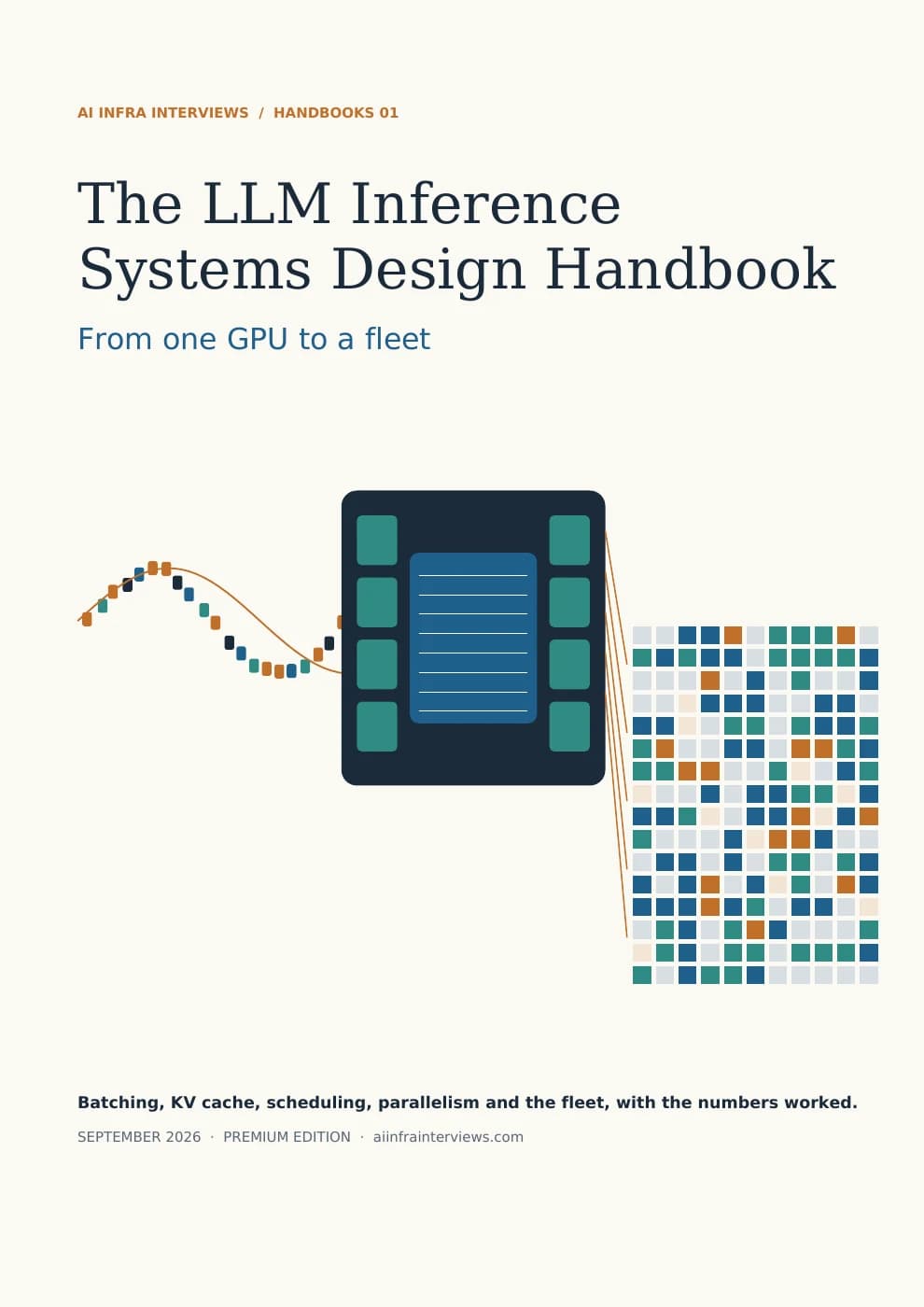
The LLM Inference Systems Design Handbook cover: tokens flowing into an accelerator and settling into paged KV-cache blocks
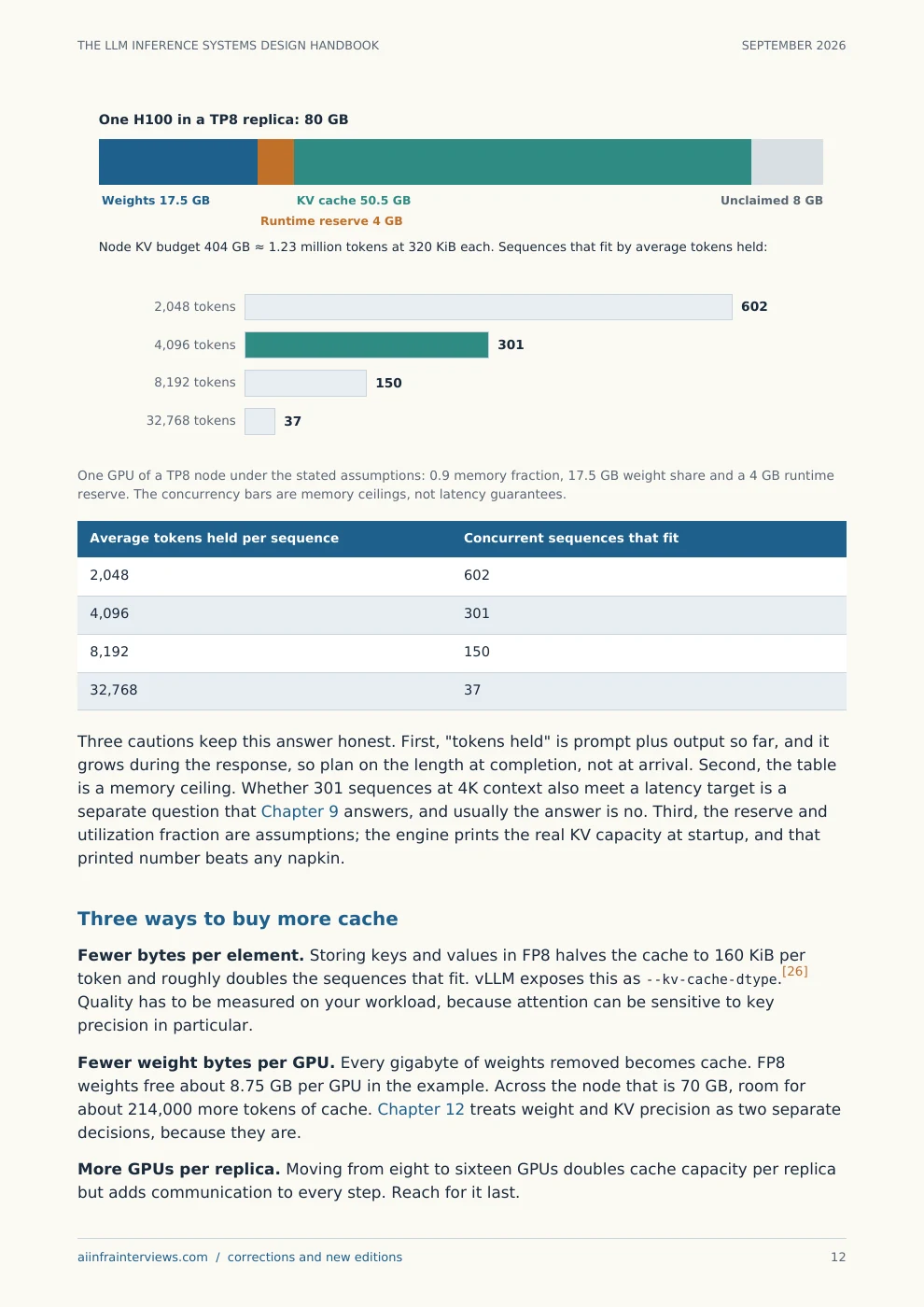
Printed sample page 13: The KV cache decides how many users fit
Page 13The KV cache decides how many users fitOpen the full-size page ↗
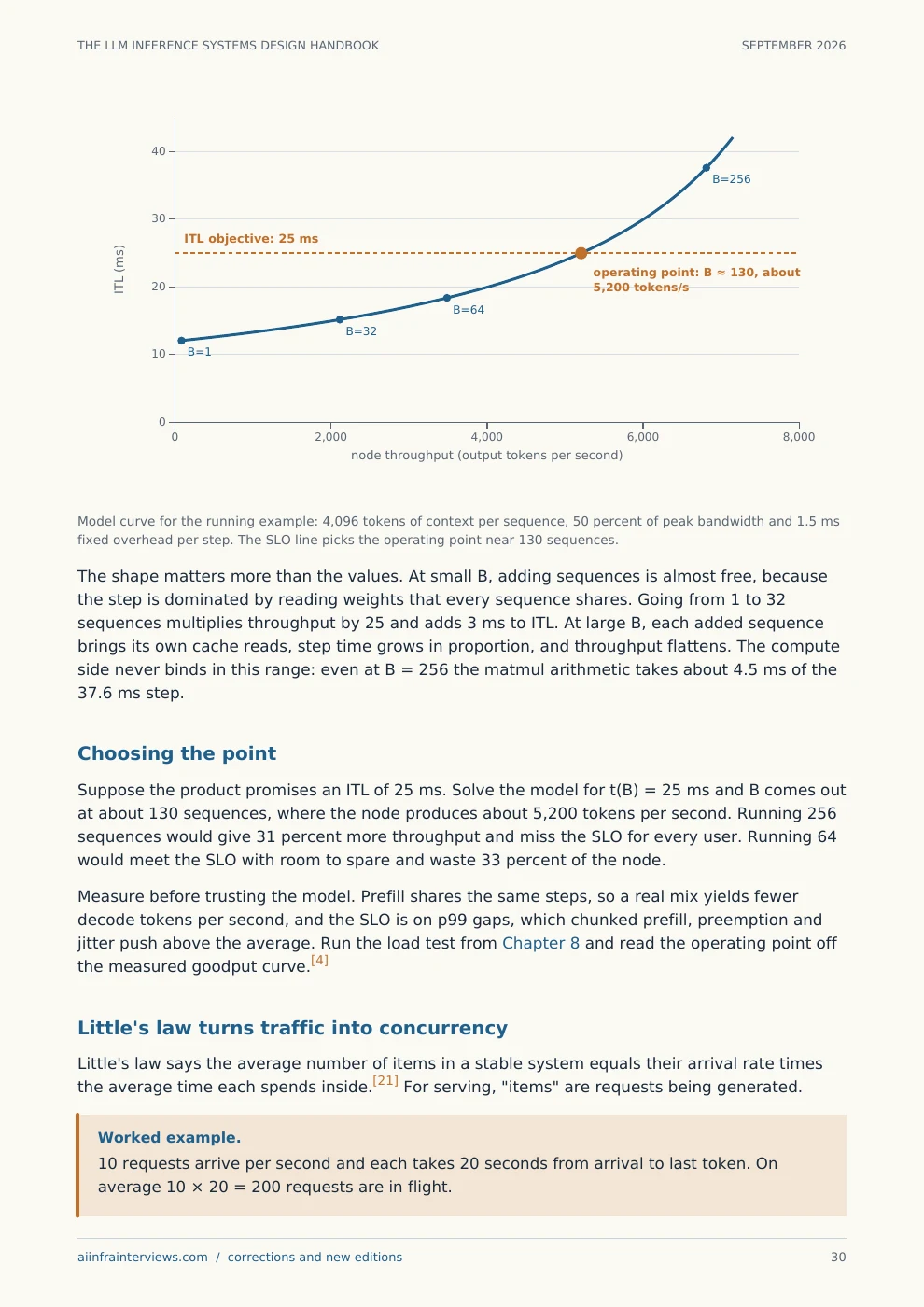
Printed sample page 31: Find the operating point, then size the fleet
Page 31Find the operating point, then size the fleetOpen the full-size page ↗
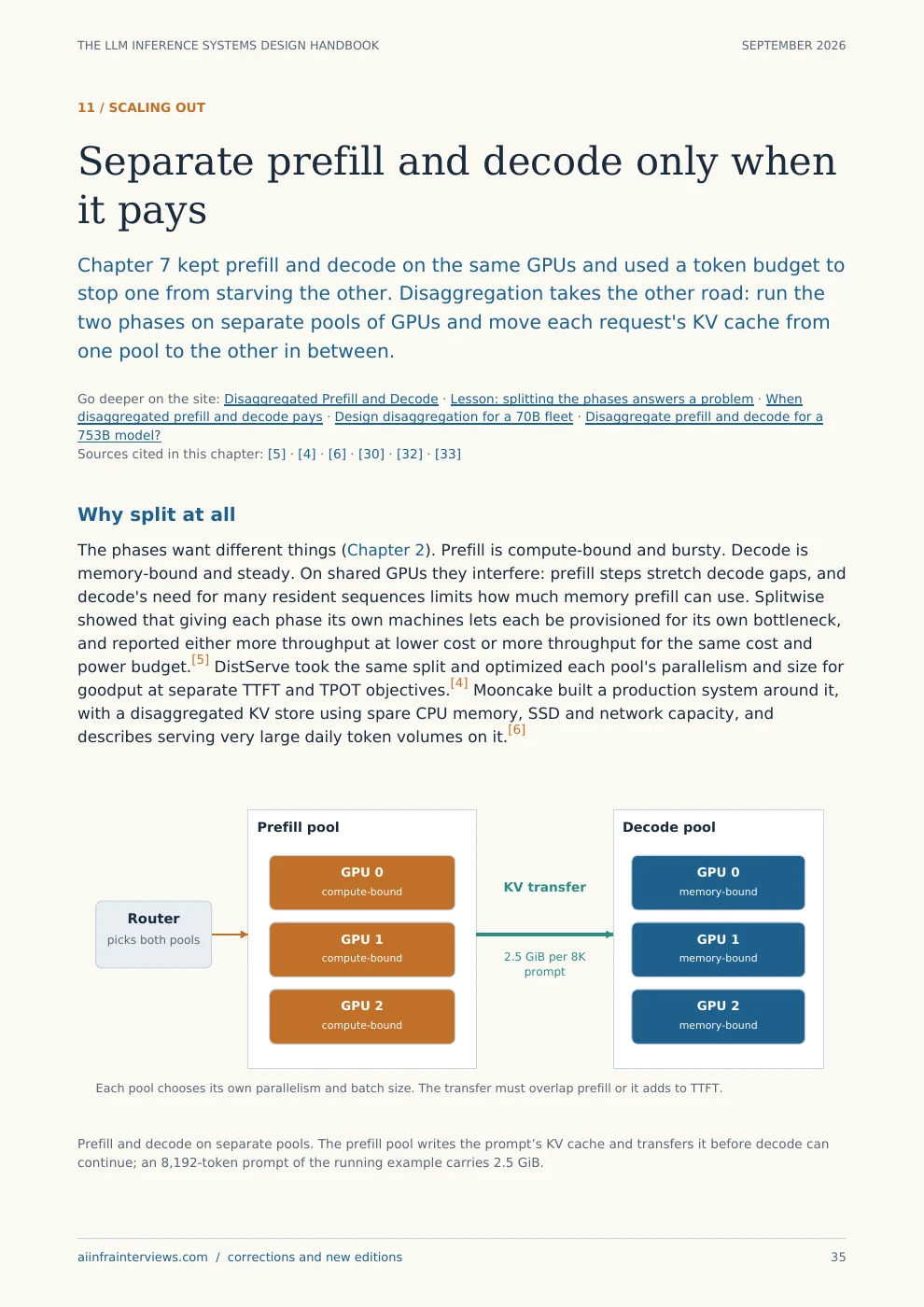
Printed sample page 36: Separate prefill and decode only when it pays
Page 36Separate prefill and decode only when it paysOpen the full-size page ↗

Distributed serving / Included with Premium

Run LLM serving on Kubernetes as one system.

Once you understand one serving engine, learn how a cluster routes requests and shares the work. Distributed Inference on Kubernetes follows those decisions through NVIDIA Dynamo and llm-d, with capacity calculations and failure scenarios.

100 pages · 25 chapters · 23 diagrams · 12 mock design rounds · 69 self-check questions.

Samples are free to read. The complete PDF requires paid Premium or approved complimentary access. Referral Premium excludes paid guide downloads.

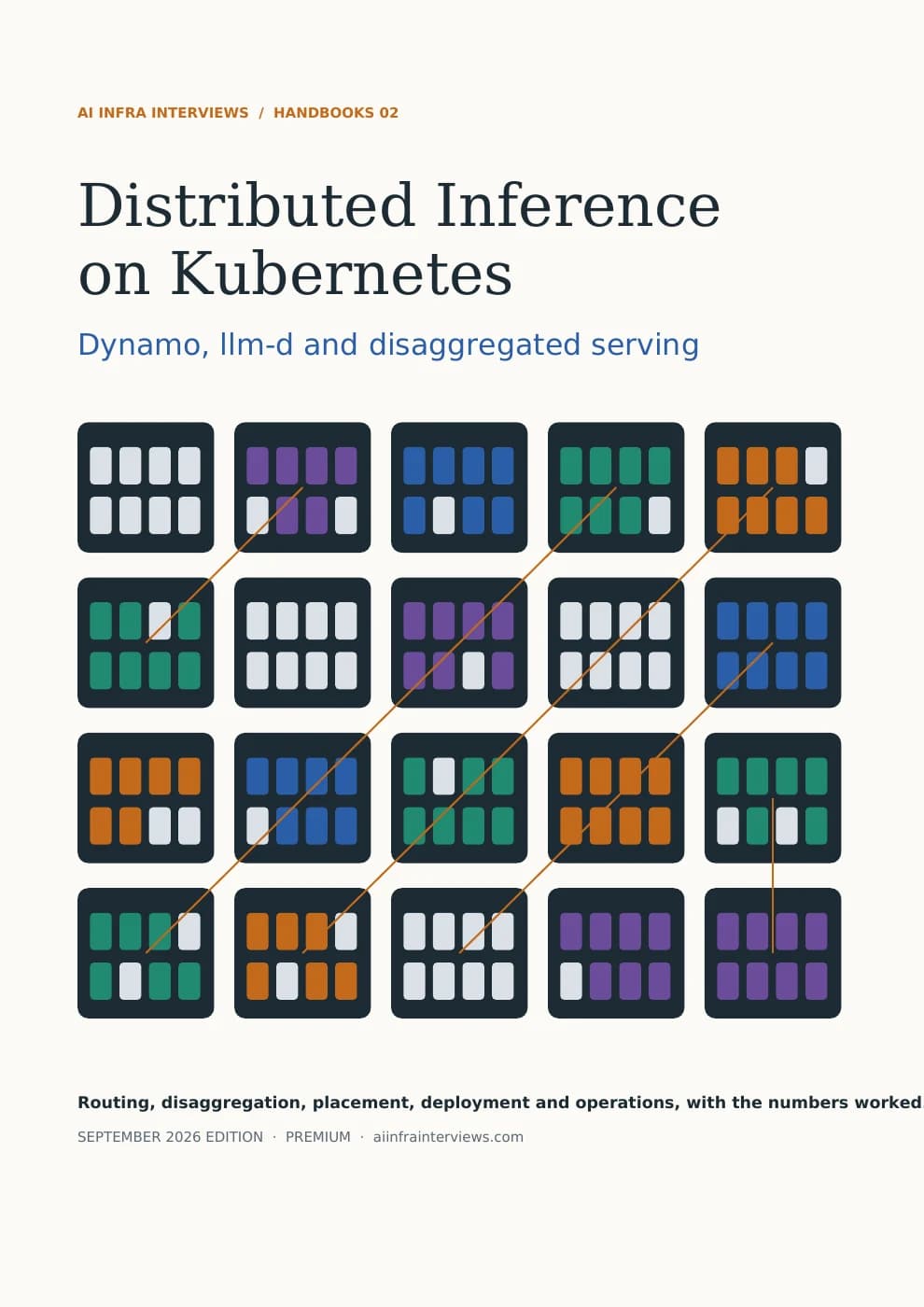
Distributed Inference on Kubernetes cover: a grid of cluster nodes whose pods are coloured by serving role, joined by request paths
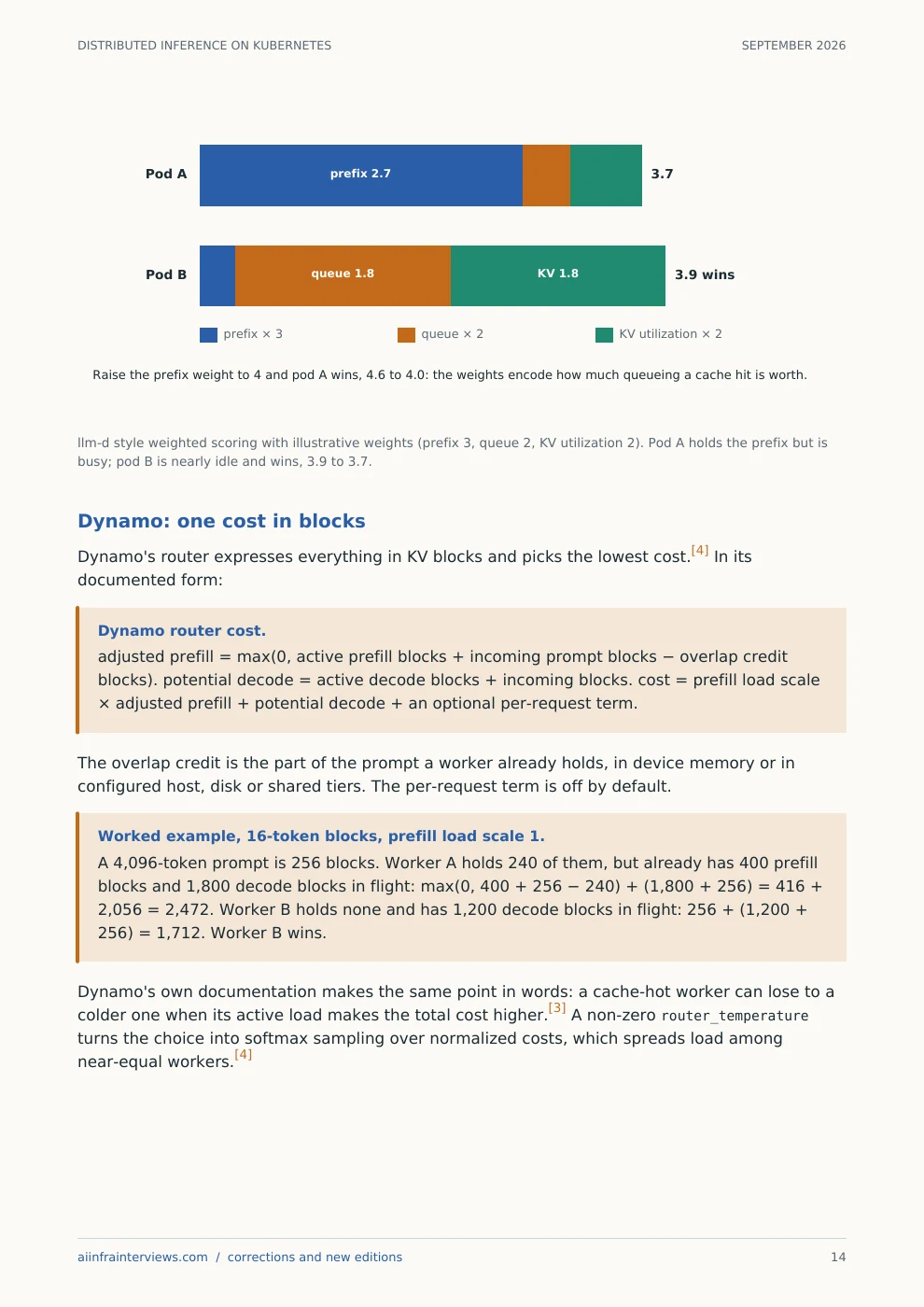
Printed sample page 14: Scoring pods on cache and load, with the arithmetic
Page 14Scoring pods on cache and load, with the arithmeticOpen the full-size page ↗
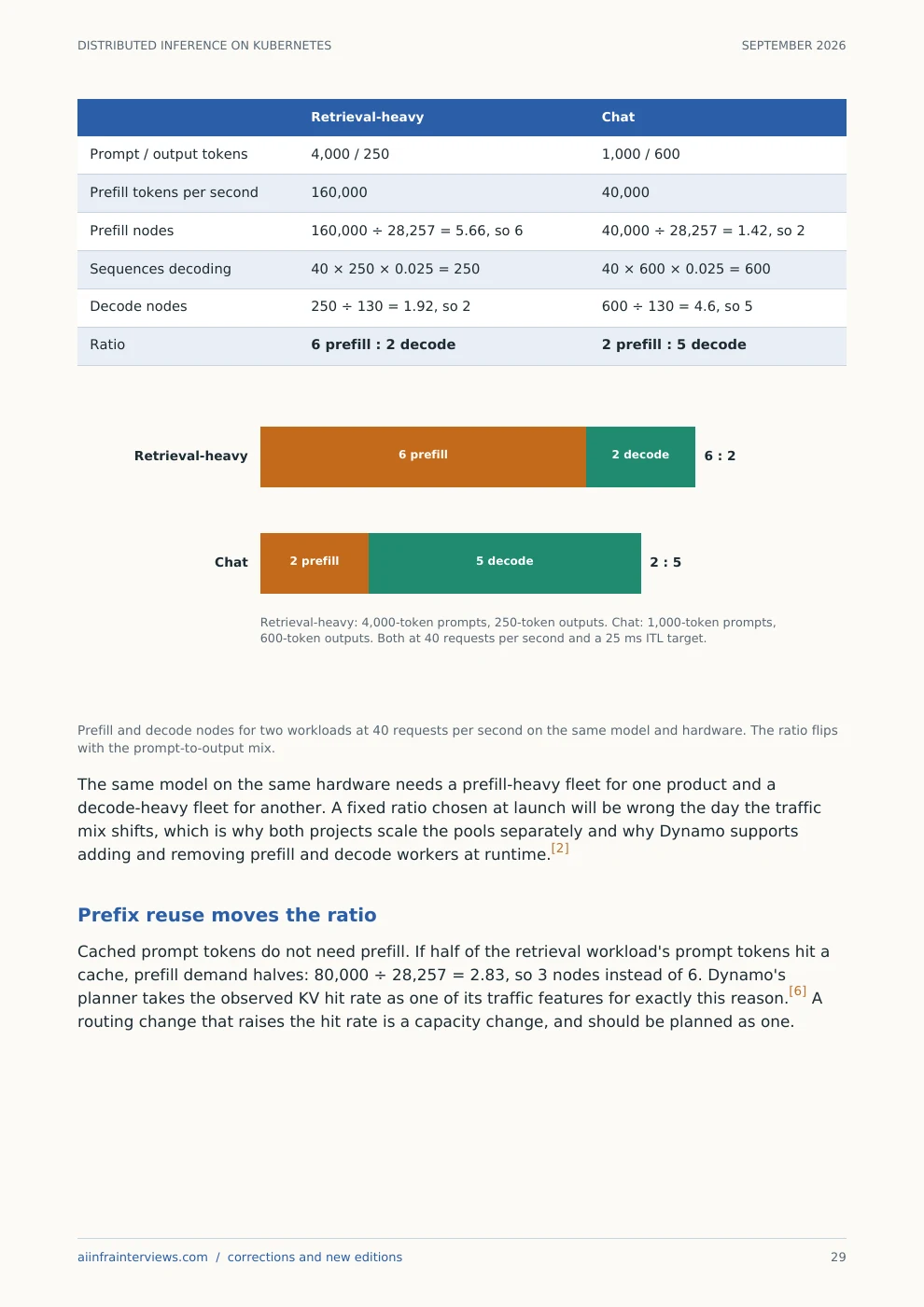
Printed sample page 29: Sizing prefill and decode pools from the traffic mix
Page 29Sizing prefill and decode pools from the traffic mixOpen the full-size page ↗
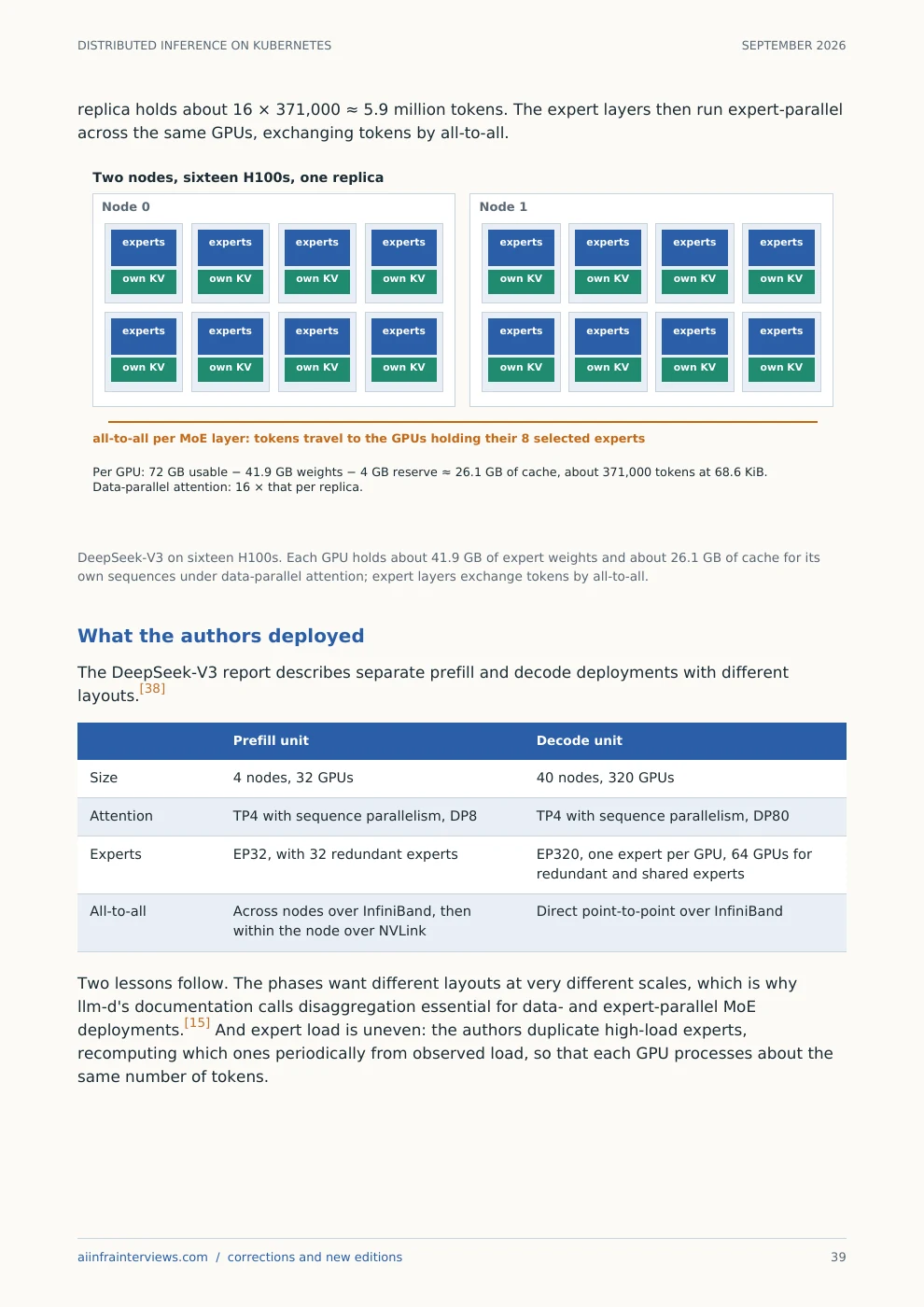
Printed sample page 39: Serving a large mixture-of-experts model across nodes
Page 39Serving a large mixture-of-experts model across nodesOpen the full-size page ↗

The free hardware reference

Get to know the GPUs behind AI.

Place desktop cards, server GPUs and connected racks on one map. Learn what the names mean, then compare memory and work out what your model needs.

37 hardware profiles · 33 model references · 34 cloud configurations

Memory, roofline and training calculators →

A few starting points

Selected accelerator memory capacity and bandwidth, per device
AcceleratorMemoryTB/s
NVIDIA H100 80 GB SXM80 GB3.35
NVIDIA H200 SXM141 GB4.8
NVIDIA B200 HGX180 GB8
Google TPU v6e (Trillium)32 GB1.638

Published memory bandwidth per device, not application throughput. GB and GiB retain the source units. Each profile links to its sources.

Take the reference with you

AI Accelerator Field Guide

September 2026 · 47 pages · Comparisons, worked examples and linked sources. Free PDF with an account.

The free model reference

The model name is only the beginning.

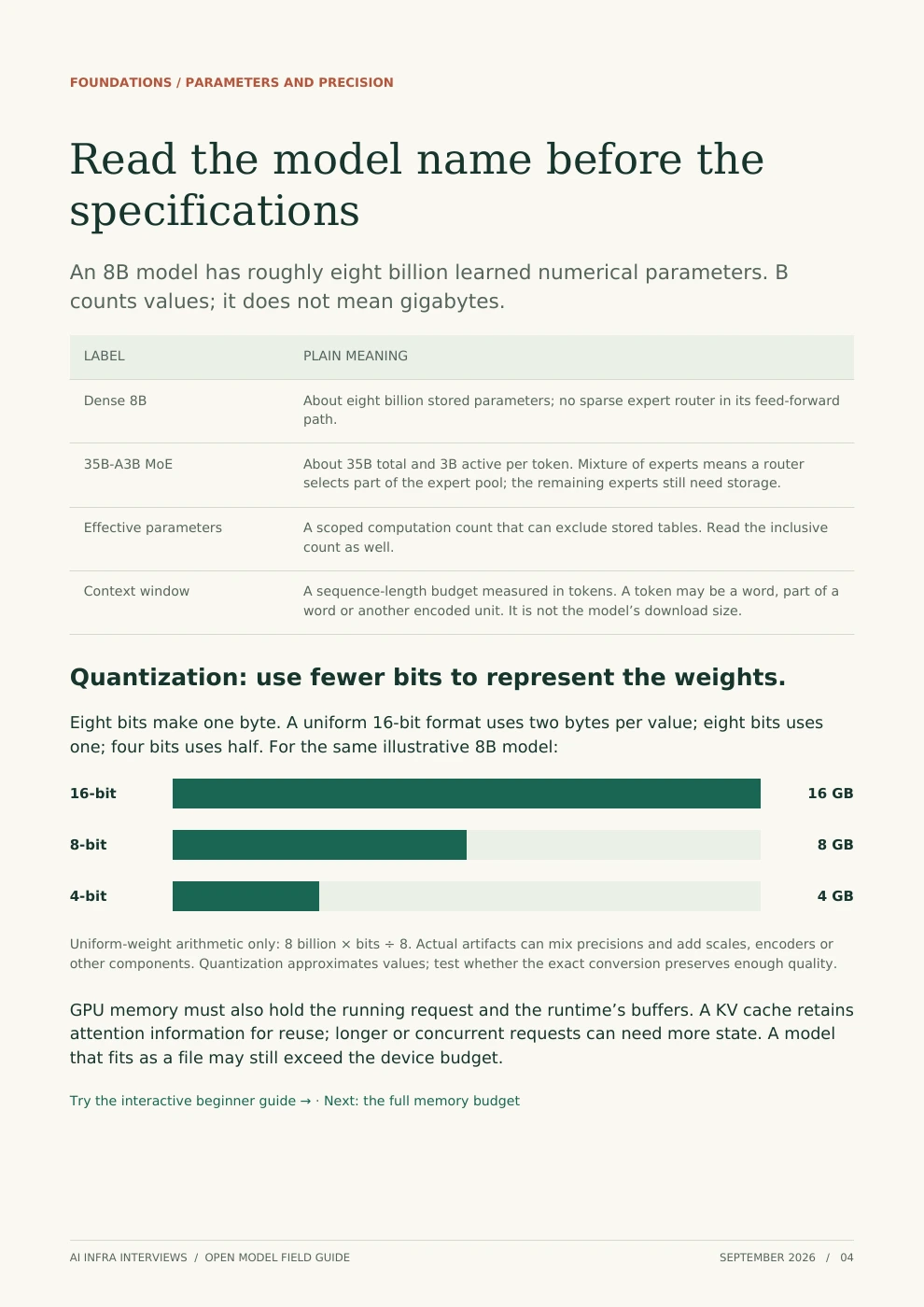
Compare 39 open-weight checkpoints. Start with plain explanations of parameters and quantization, then compare release timelines, architectures and documented hardware paths.

New to open models? Start here →

Included with paid Premium

A field guide you can read, annotate and keep.

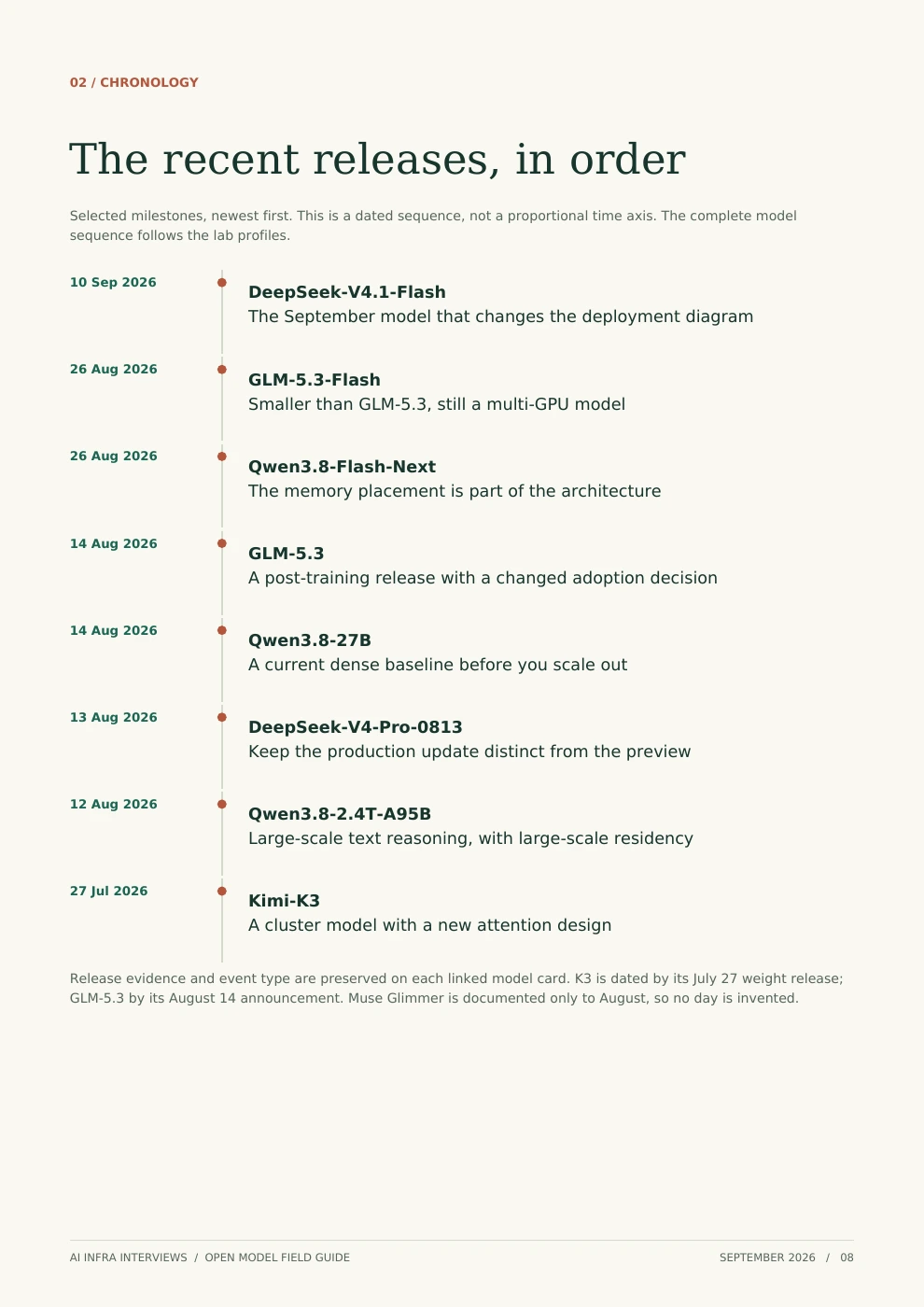
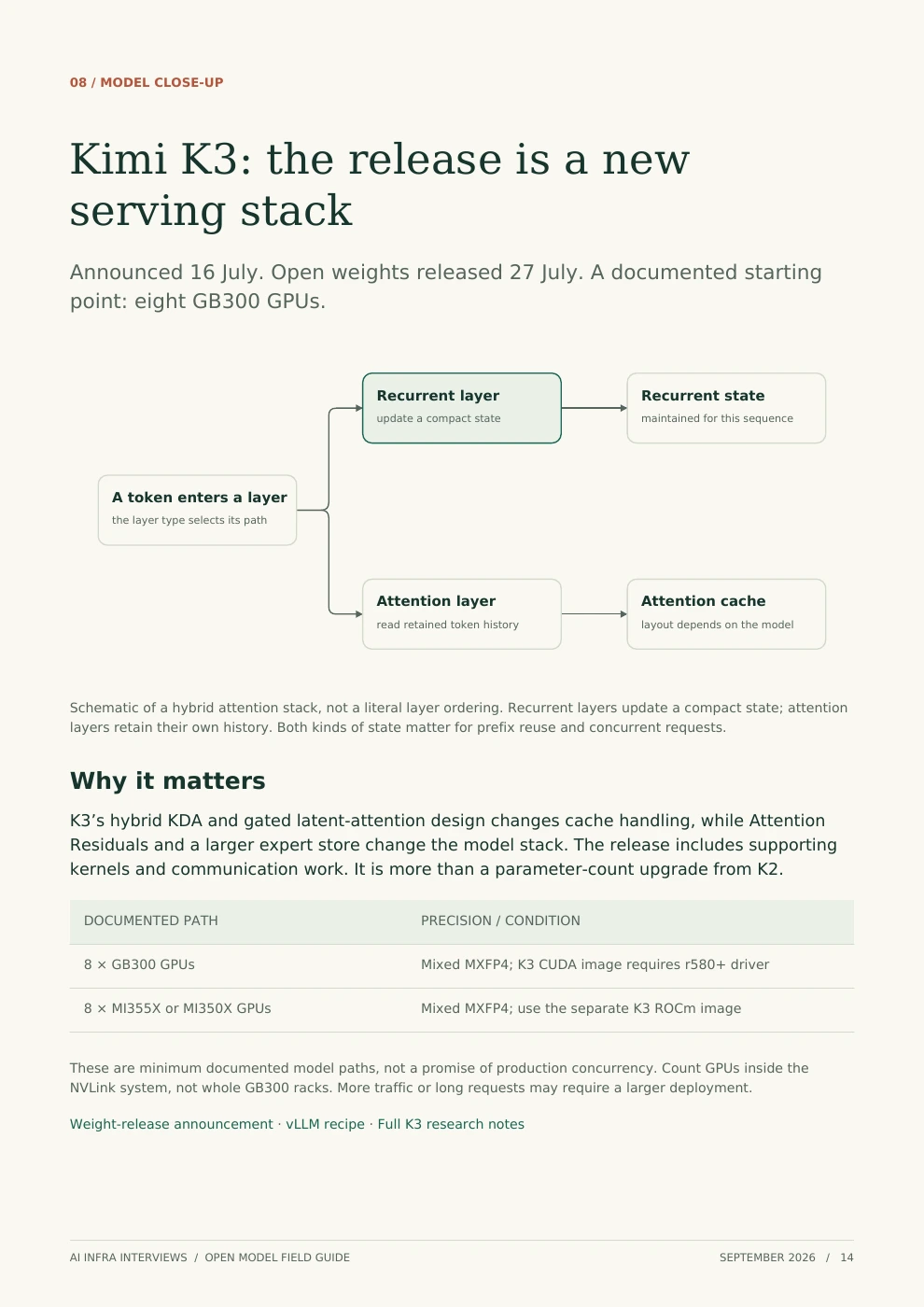
51 illustrated pages: beginner explanations, architectural changes, lab timelines and deployment notes. Preview three pages below before you decide.

Model cards are free. The PDF download requires sign-in and paid Premium or approved complimentary access. Referral Premium excludes paid guide downloads.

Report sample: Read the model name before the specifications
Page 4Read the model name before the specificationsOpen image to read the sample ↗
Report sample: The recent releases, in order
Page 8The recent releases, in orderOpen image to read the sample ↗
Report sample: Kimi K3: the release is a new serving stack
Page 14Kimi K3: the release is a new serving stackOpen image to read the sample ↗

Learn here. Help someone else start.

Good resources travel through good people.

Know someone learning AI infrastructure? Share a useful resource on both LinkedIn and X and apply to become a Community Ambassador.

Explore the ambassador program →
Community Ambassador

Recognition for helping others learn.

After team approval: a gold badge beside your comments and a one-time 48-hour Premium pass. Already Premium? Earn the badge and save the pass.

01 Share02 Submit proof03 Team review

Keep exploring

The AI infrastructure library.

See every interview question →